Supabase just dropped their Security Retro for 2025, and it's packed with changes that affect how you build and secure your apps. Most improvements focus on safer defaults, better tooling, and making Row Level Security (RLS) less painful for developers new to the pattern.
This article covers what shipped in 2025 and what's planned for 2026. If you're building anything on Supabase, these changes directly impact your security posture.
Run an Automated In-Depth Audit on Your Supabase Project
Get a comprehensive security audit of your Supabase database — completely free. Connect via Supabase OAuth and receive a detailed report of your RLS configuration, exposed tables, and security issues. Upgrade for AI-generated fix recommendations.
1. Data API Controls
You can now disable the Data API entirely when creating a new project. This means no auto-generated REST or GraphQL endpoints — your database behaves like standard Postgres (similar to RDS).
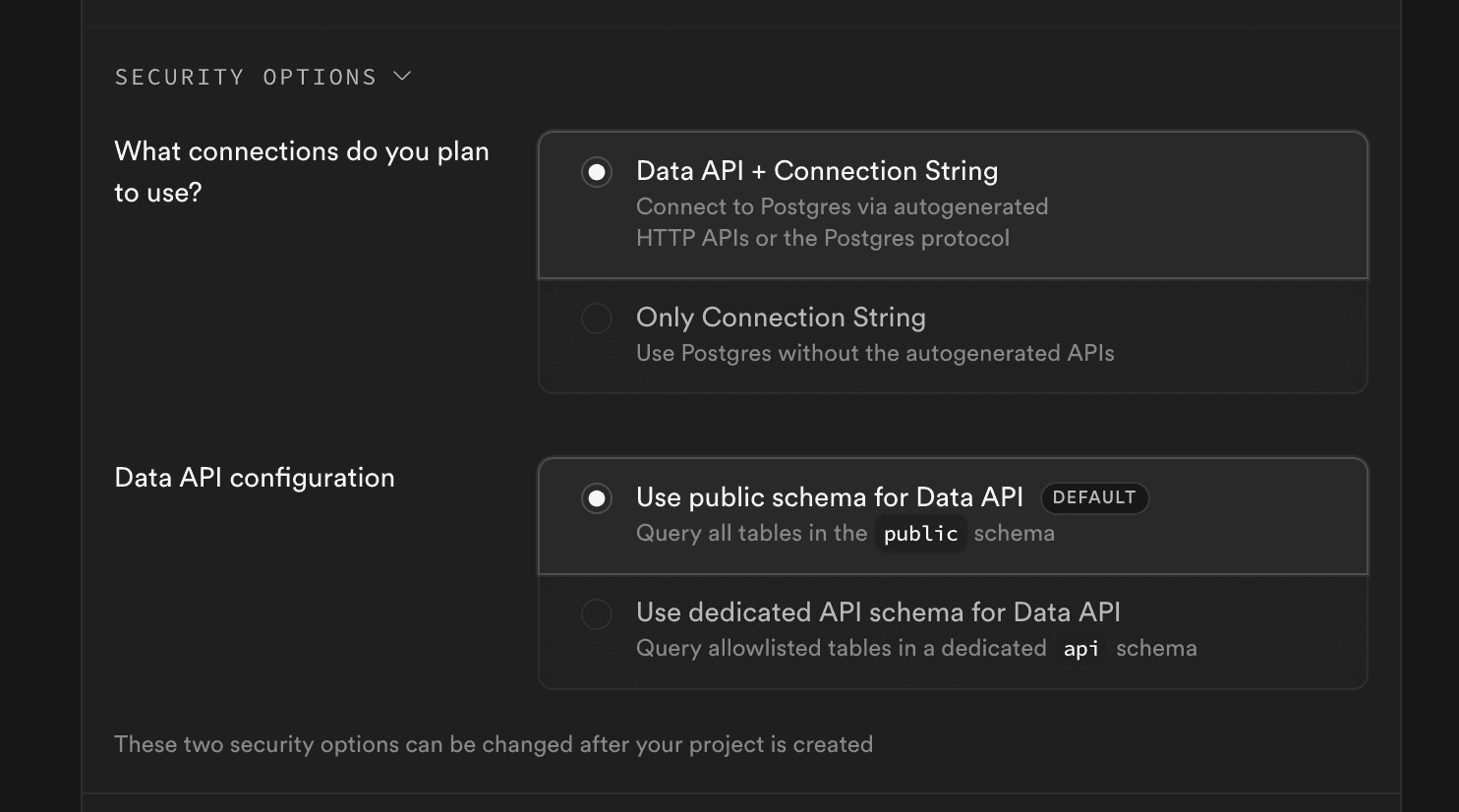
For existing projects, the same option is available in project settings. Once disabled, you can still connect directly through the connection pooler or standard Postgres connections.
You can also change the default exposed schema from public to a custom schema like api. This gives you control over what's exposed via the auto-generated endpoints.
2. New API Key System
The old JWT-based anon and service_role keys are being replaced with a new model:
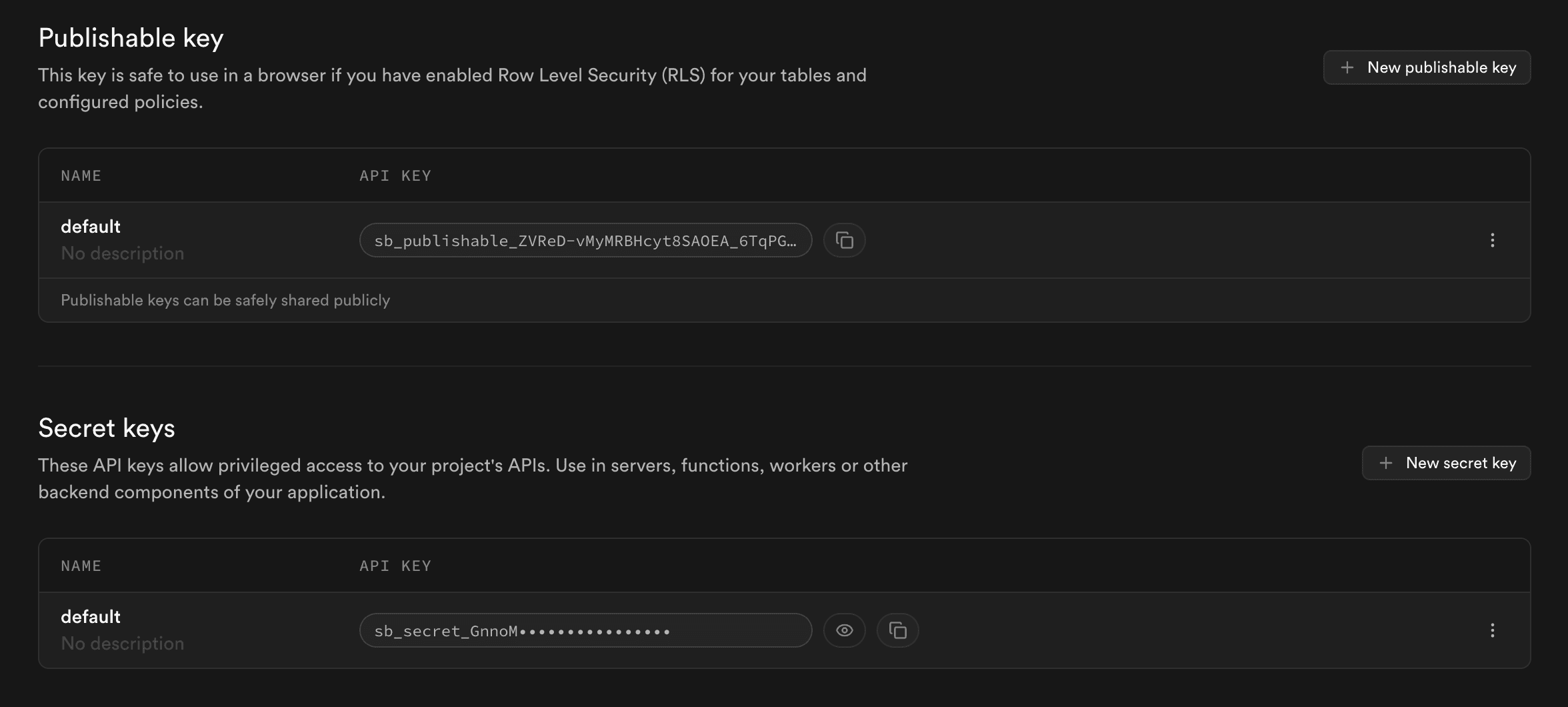
- Publishable keys — Low-privilege access for client-side use
- Revocable secret keys — Elevated access, can be created and revoked individually
Keys can now be scoped and rotated without affecting other keys. This is a significant improvement over the old shared-secret model.
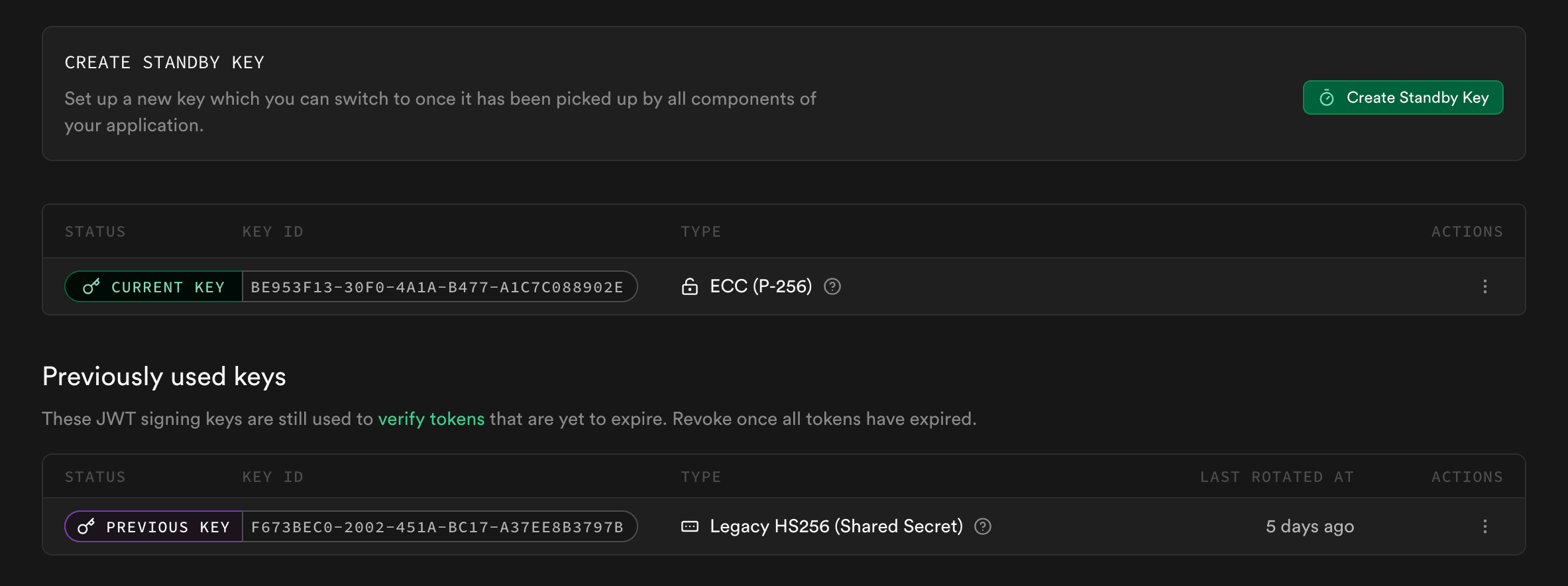
Asymmetric JWT Support
The new system supports asymmetric JWTs — signed with private keys, verified with public keys. This enables safer key distribution and rotation compared to shared secrets. It also reduces the blast radius if a key is compromised.
3. Automatic Key Revocation via GitHub
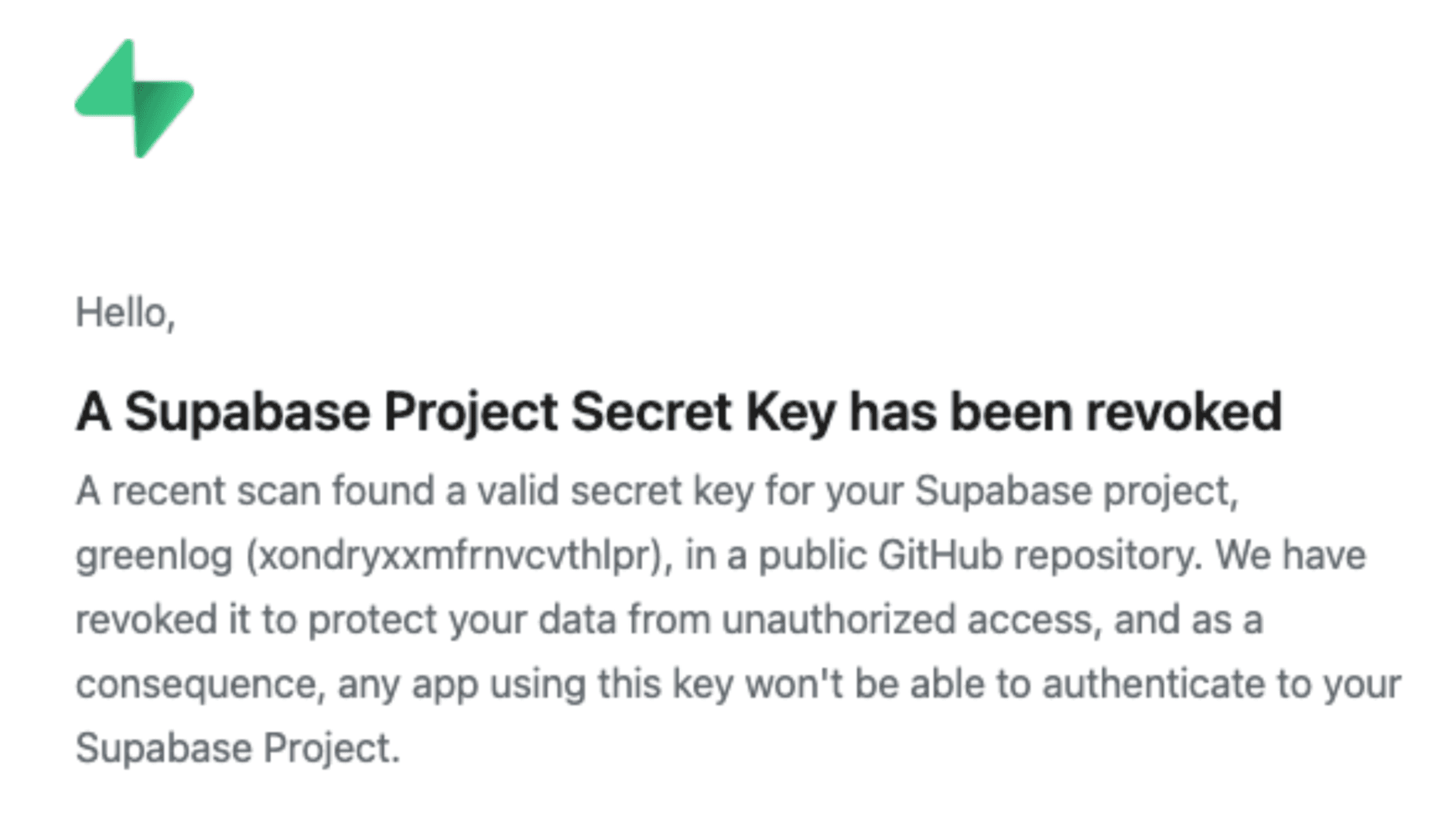
With the new API key formats, Supabase now automatically revokes secret keys detected in public GitHub repositories via GitHub Secret Scanning.
When a leak is detected, the key is immediately revoked and the project owner is notified. No manual action required.
4. RLS by Default
Tables created via the Supabase dashboard now have RLS enabled by default. Tables are protected from the moment they're created — secure by default.
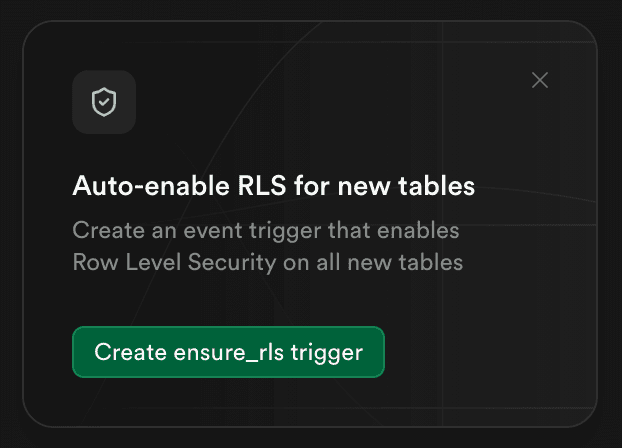
Auto-Enable RLS via Event Triggers
If you create tables using external tools or migrations that don't enable RLS, you can use Postgres Event Triggers to enforce RLS automatically. Supabase added Event Triggers to the platform in 2025 with documentation on how to set this up.
-- Example: Auto-enable RLS on table creation
CREATE OR REPLACE FUNCTION enable_rls_on_new_tables()
RETURNS event_trigger AS $$
DECLARE
  obj record;
BEGIN
  FOR obj IN SELECT * FROM pg_event_trigger_ddl_commands()
    WHERE command_tag = 'CREATE TABLE'
  LOOP
    EXECUTE format('ALTER TABLE %s ENABLE ROW LEVEL SECURITY', obj.object_identity);
  END LOOP;
END;
$$ LANGUAGE plpgsql;

CREATE EVENT TRIGGER auto_enable_rls
ON ddl_command_end
WHEN TAG IN ('CREATE TABLE')
EXECUTE FUNCTION enable_rls_on_new_tables();
Clear Labels for Exposed Tables
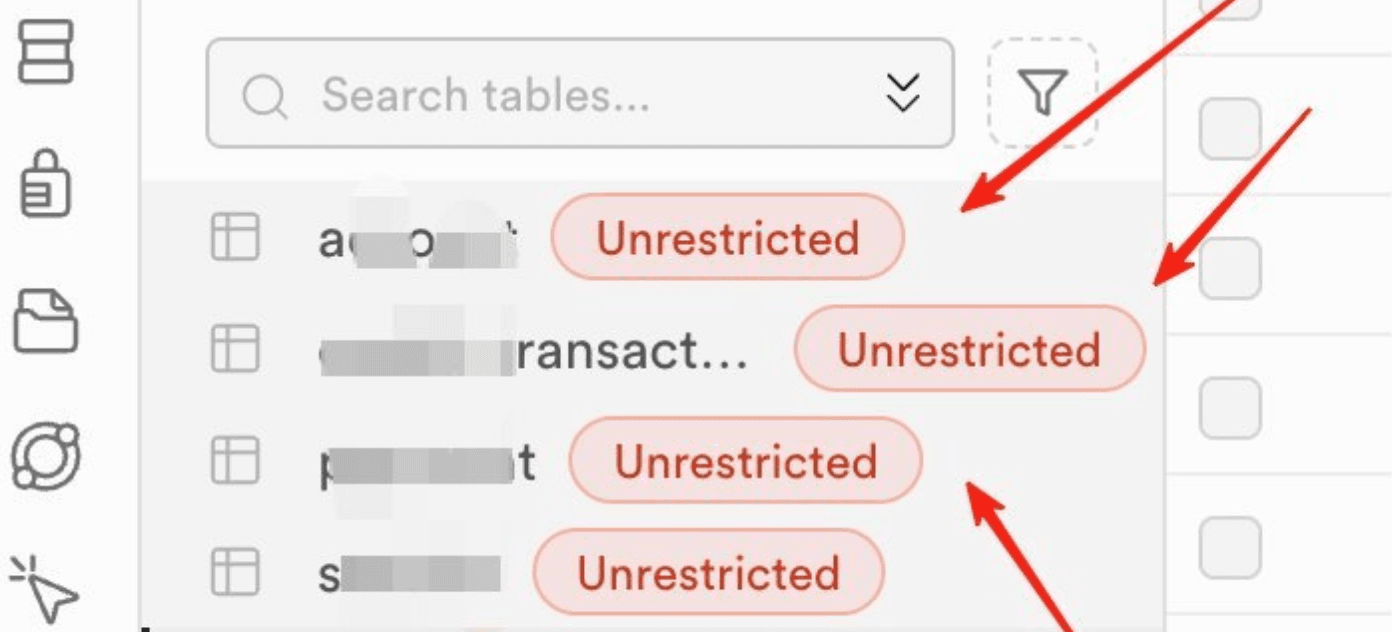
The Table Editor now shows a clear warning label for any table that has RLS disabled. This makes it immediately obvious which tables are exposed via the API without row-level security.
Security Alerts
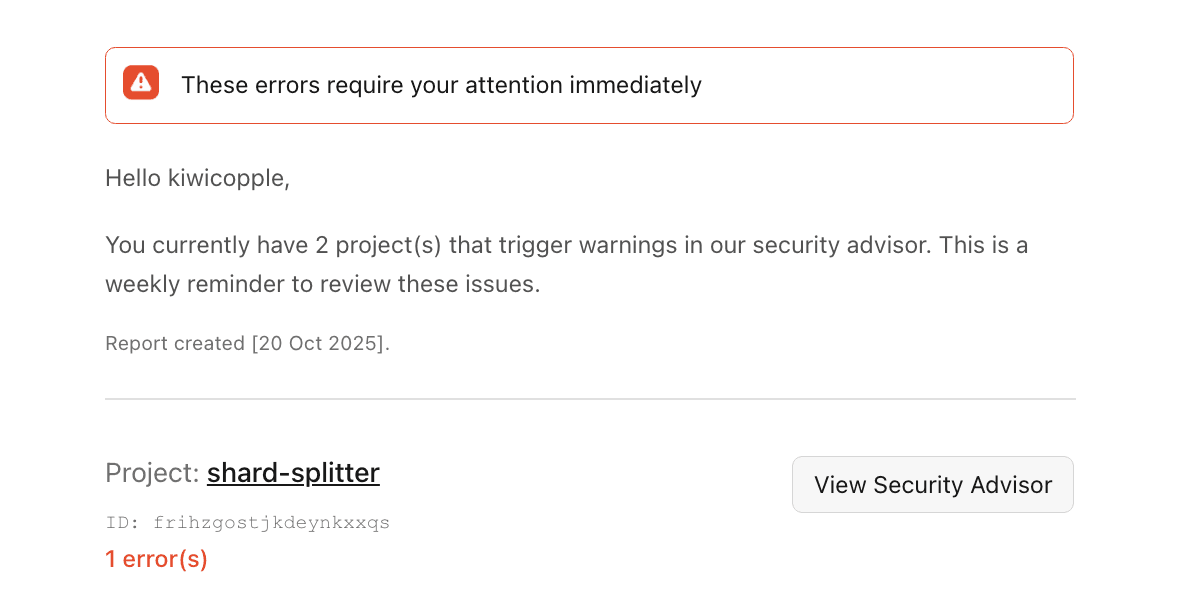
If you create tables with RLS disabled, Supabase sends email alerts to project owners. These alerts also appear in the dashboard, making it easy to identify and secure tables before deploying to production.
SupaExplorer Tip
With SupaExplorer, you can instantly see which tables have RLS enabled and review all policies in one view. Connect via Supabase OAuth to get a complete RLS audit across your entire database.
5. Security Advisor
Security Advisor scans your project for misconfigurations using Splinter, an open-source security linter for Postgres. It checks for common patterns like:
- Tables without RLS
- Policies that could leak data
- Overly permissive grants
- Insecure extension configurations
AI-Assisted Fixes
The dashboard includes an Assistant that helps fix security issues detected by Security Advisor. When viewing alerts, you can ask the Assistant to generate and apply RLS policies. Describe your security requirements in plain language, and it generates the SQL.
Security Advisors are also available through Supabase's MCP server, allowing developers to scan and fix security issues from their development environment with a simple command.
SupaExplorer Alternative
SupaExplorer offers similar capabilities — connect via Supabase OAuth for a free security audit that identifies misconfigurations and exposed tables. Upgrade for AI-generated fix recommendations. Great for quick audits before deploying.
6. Column-Level Security
Postgres supports column-level privileges that restrict access to specific columns in a table. This is useful for sensitive data like social security numbers, salaries, or other PII.
-- Grant SELECT on all columns except salary
GRANT SELECT (id, name, email, department) ON employees TO authenticated;

-- Admins can see everything
GRANT SELECT ON employees TO admin_role;
Column-level security works independently from RLS. You can use both together: RLS controls which rows a user can access, while column privileges control which columns they can see within those rows.
7. Custom Claims and RBAC
Custom claims let you add metadata to JWTs for role-based access control (RBAC). Instead of writing RLS policies that query a roles table for each request, you can embed role information directly in the authentication token.
-- JWT payload with custom claims
{
  "sub": "user-uuid-here",
  "role": "authenticated",
  "app_metadata": {
    "roles": ["admin", "editor"]
  }
}

-- RLS policy using custom claims
CREATE POLICY "Admins can do everything"
ON posts FOR ALL
USING (
  'admin' = ANY(
    (current_setting('request.jwt.claims', true)::jsonb
      -> 'app_metadata' -> 'roles')::text[]
  )
);
8. Network Security
VPC / PrivateLink on AWS
PrivateLink connects your VPC directly to Supabase infrastructure without traversing the public internet. This reduces attack surface and improves latency. Enable it from the project settings in the dashboard.
Database Access Restrictions
All Supabase databases run fail2ban to automatically block IPs after failed login attempts. You can also configure IP allowlists to restrict database access to specific trusted addresses.
OpenAPI Spec Restrictions
The OpenAPI spec is no longer publicly visible when using the new publishable keys. Previously, anyone with an anon key could view your complete API schema, including all tables and columns. With publishable keys, the spec is restricted.
9. HackerOne Vulnerability Disclosure Program
Supabase runs continuous security testing with external researchers in both red team and purple team engagements. They also operate an active vulnerability disclosure program on HackerOne.
Stats since launch:
- 139 reports resolved from 96 researchers
- First response: 2 business days (median 8 hours)
- Triage: 5 business days (median 10 hours)
- Resolution: severity-dependent (median 2 days)
The VDP covers Supabase platform infrastructure including PostgREST exposure, authentication flows, service role isolation, Realtime subscriptions, Storage access controls, Edge Functions, and network boundaries.
Paid bounties will launch in 2026, scaled by severity and impact.
10. What's Coming in 2026
Several security improvements are planned:
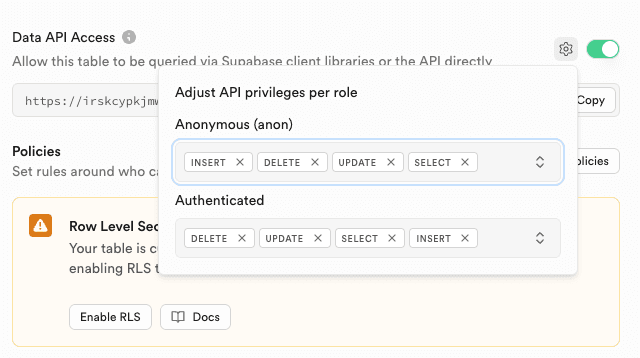
Grant Toggles for Exposed Schemas
A new UI control will allow you to toggle API access for individual tables directly from the dashboard. Instead of manually managing Postgres grants, enable or disable table access with a click.
Alternative Authorization Patterns
Integrations with authorization systems like OpenFGA and Zanzibar for developers who need fine-grained permissions beyond RLS. Supabase is taking a Postgres-first approach with their supabase_rbac extension.
GitHub Push Protection
Currently, leaked key detection uses GitHub's Secret Scanning API for post-commit detection. Push protection will block commits containing secret keys before they're pushed.
GraphQL Disabled by Default
pg_graphql will be disabled by default on new projects. You can still enable it manually, but it won't be exposed automatically to reduce attack surface.
Expanded Security Advisor Lints
New security checks in Splinter: detecting weak password policies, excessive function privileges, and insecure extension configurations.
Hardened Project Configuration
New project configuration options for extremely hardened security environments with strict defaults and mandatory security policies.
Security-Focused Test Harness
A dedicated test harness for security will help validate RLS policies, test authorization logic, and ensure security configurations are correct before deploying to production.
Enhanced Security Alerts
More detailed explanations of impact, step-by-step remediation guidance, and inline code examples to help resolve issues faster.
Takeaways
- RLS is now enabled by default for tables created in the dashboard — secure from the start
- New API key model with publishable keys and revocable secrets replaces the old anon/service_role pattern
- Leaked keys are auto-revoked via GitHub Secret Scanning
- Security Advisor with Splinter helps catch misconfigurations
- AI-assisted fixes make it easier to write correct RLS policies
- Column-level security adds another layer for sensitive data protection
- 2026 brings even more: push protection, grant toggles, OpenFGA integration, and hardened configs
Audit Your Supabase Security with SupaExplorer
Want to quickly check your RLS configuration across all tables? SupaExplorer connects via Supabase OAuth for a free security audit. See which tables have RLS enabled, explore your policies visually, and catch security issues before they become problems. Upgrade for AI-powered fix recommendations.